Consent

This site uses third party services that need your consent. Learn more

Skip to content
Bekijk deze content in het Nederlands. Sehen Sie sich diesen Inhalt auf Deutsch an. Voir ce contenu en anglais.
HydroCam

Flawless
manifold production

Complex manifolds, produced in minutes.

What is HydroCam?

HydroCam is production software specifically designed for hydraulic manifolds. It’s fast, accurate, and designed to save engineers time by automating the final step of production. 

Working directly from your HydroMan design, HydroCam imports all geometry and coordinate data automatically and generates ready to run CNC programs in minutes. It replaces hours of manual programming and closes the loop between design and production. 

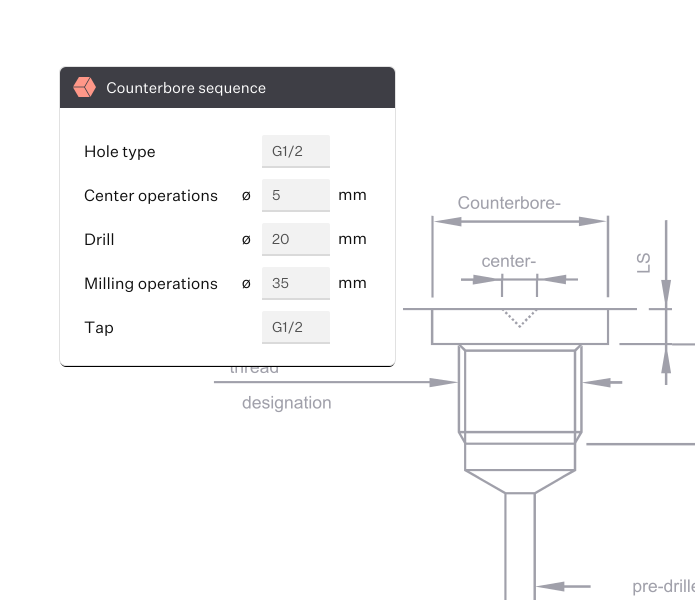
Cavity sequence.

See HydroCam in action

In this video, you’ll get an overview of HydroCam, Paro’s CNC manifold production solution. Learn the core concepts behind the software, see how it works, and discover why it transforms CNC manifold manufacturing.

HydroCam, production software for hydraulic manifolds.

Automate, generate

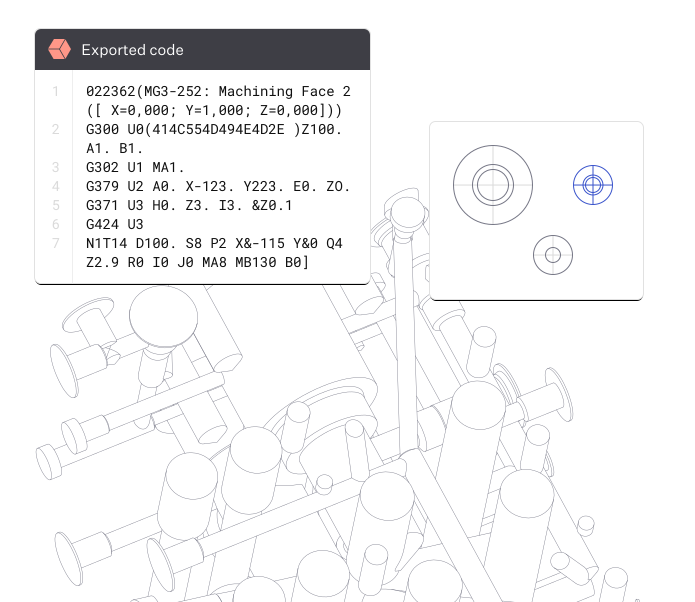
Automate CNC code generation and reduce your programming time by up to 99%.* 

Writing custom CNC code is time intensive and requires a high level of precision. HydroCam automatically generates accurate programs while enabling efficient reuse of standardized feature libraries. 

By working with proven, reusable elements, you program faster, increase consistency, and reduce the likelihood of costly mistakes. 

HydroCam is a stand-alone solution that optimizes every step of the hydraulic manifold manufacturing process, delivering speed, accuracy, and reliability. 

*Where CNC coding can take up to 4 hours, HydroCam has reduced programming time to as little as 5 minutes. Results may vary depending on application. 

Error-free, accurate code

HydroCam automatically generates precise, accurate CNC programs by reading the intelligent data embedded in your HydroMan design. Every feature is fully defined during the design stage, ensuring clarity and consistency throughout the entire manufacturing process. 

You can integrate your own manufacturing knowledge, including drilling strategies, parametric depths and diameters, load sensing configurations, override feeds and speeds, and defined order of operations. 

With controller independent export, HydroCam ensures your CNC programs integrate seamlessly into your specific machine environment and control system. 

Your complete end-to-end hydraulic manufacturing solution. 

The 3-step Paro system

You don’t need training or extensive knowledge of CAM-type software to use HydroCam. It’s as simple as 1, 2, 3:

  1. 1

    Draw a smart schematic in HydroSym

    As you design in HydroSym, you add fully configured components. From spool types to pressure setting or accumulator volume, select the right components for your manifold at source.

  2. 2

    Design your manifold in HydroMan

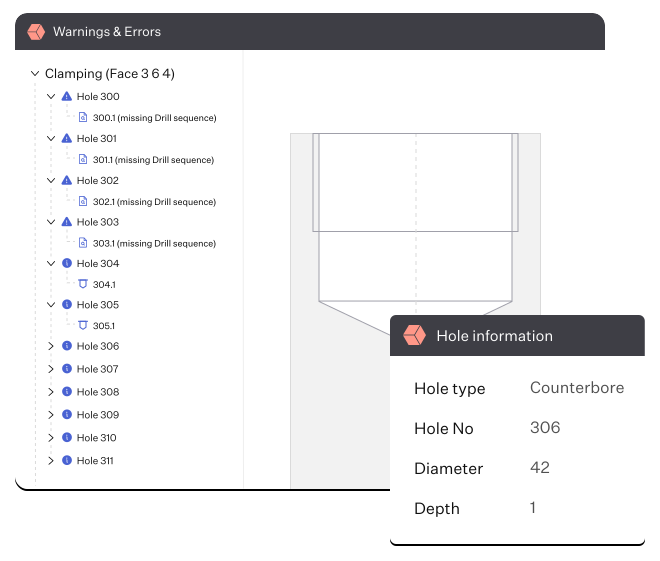
    Test and check your manifold in 2D and 3D as you draw. Build on your HydroSym schematic, allowing automated checklists to stress-test your manifold, for error-free designs.

  3. 3

    Generate your CNC program in HydroCam

    HydroCam reads your HydroMan drawing, extracting the right information and producing precise CNC instructions. Finally, HydroCam exports the program in a format that your CNC machine understands.


Define, customize, deliver

With Paro’s 3-step hydraulic manifold design system streamlining your workflow, HydroCam supports multiple axis setups: 3-axis, 4-axis or 5-axis (3+2 axis). 

From specifying different diameters and threads to diameter reaming, chamber placement, and fully customizable port engraving with clear port names and markings, define every variation of the holes in your manifold right from the start of production. 

It’s your manifold workflow, your way. 

Industrial hydraulic valve manifold with multiple red handwheel valves and connected metal piping.

Preserve and build expertise

Your unique fabrication knowledge is captured and stored by HydroCam. By saving and sharing expertise across your company and among your employees, valuable know-how is preserved and continuously strengthened. 

As knowledge is reused and built upon, your team becomes more efficient, consistent, and capable with every new project. 

With every manifold you create, HydroCam continuously builds your experience, refining and optimizing sequences over time. This allows you to work faster, more efficiently, and more intelligently with each new project. 

Construction site with excavators, dump truck, and earthmoving equipment.

Start working with HydroCam

We’re implementing HydroCam, and we’d love to learn if we can help you to produce flawless manifolds.

If you’d like to save up to 90% of your coding time and discuss HydroCam’s potential for your manifold production ideas, please contact us and we’ll suggest some times for a conversation.

Frequently asked questions

What CNC machines work with HydroCam?

HydroCam is developed for a wide range of CNC machines. We support standard G-code and commonly used CNC control languages such as Mazatrol and Fanuc, among others. We’re currently implementing multiple other types of machines and controls. If you’re working with different CNC machines, please get in touch and we’ll see if we can help.

Does HydroCam have an internal database that generates the machine code?

Yes. HydroCam uses an internal machining library to generate the machine code. You can create and manage your own library, giving you full control and ensuring consistent results when machining your manifolds.

What’s the key difference between HydroCam and conventional CAM software?

HydroCam is purpose-built for hydraulic manifolds, which involve complex internal shapes rather than external ones. HydroCam focuses on automatic feed and speed reduction for cross-drilling, eccentric holes, and machining of predefined shapes (the specified cavities).

Does HydroCam support 4- and 5-axis machining centers?

Yes, HydroCam supports 3-, 4-, and 5-axis CNC machines. When using a 4-axis machine, HydroCam also helps determine the optimal clamping sequence based on angled holes in the manifold, to minimize the amount of re-clamping required.

Does HydroCam include post-processors?

Yes. HydroCam includes everything needed to export machine code in the correct language for your CNC machining center. Currently, HydroCam supports Mazak machines using Mazatrol machine language. Support for other machines is under development.

How does HydroCam communicate with the machining center?

HydroCam exports the machine code as a text file in the correct language for your CNC machine. This file can then be imported into your machining center using its own interface. The import process is handled outside of HydroCam.